


Introduction
- Thank you for your trust in our company and for buying the new Neckband BT Smart 5 Voice Assistant. We hope you enjoy them.
- We recommend you to read this manual in order to enjoy your device safely and with maximum performance.
Care and maintenance
- Do not expose your Neckband BT Smart 5 Voice Assistant to impacts, dust, humidity or high temperatures.
- Do not use neither corrosive nor abrasive cleaning products.
- Keep the earphones clean and free of dust using a soft dry cloth.
- Do not disassemble your earphones. All reparation works should be carried out exclusively by qualified staff of Energy Sistem Technology, S.A.
- Do not leave the battery completely discharged for a long period of time.
Features
- Dedicated voice assistant button to enable the assistant on your smartphone.
- Magnetic earbuds that provide even more comfort.
- Answer your calls easily by pressing the microphone on the cable.
- Earphones with in-ear design that fit your ears perfectly.
- Long-life battery (13 h) to enjoy all your music.
- Neckband design for even more comfort and to forget you are wearing them.
Technical specifications
- CONNECTIVITY
- Bluetooth: 4.2
- Range: 10 m
- Operating frequencies: 2.4 GHz (2.404 - 2.480 GHz)
- Maximum output signal: < 20 dBm
-
Compatible with Google Assistant/Siri
- DRIVERS:
- Frequency response: 20 - 20,000 Hz
- Driver diameter: 10 mm
- Sensitivity: 95 ± 3 dB/mW (@1 KHz)
- SPL: 110 ± 3 dB
- Maximum power: 10 mW
- Type: dynamic
- Impedance: 16 ohms
-
THD < 1%
- MICROPHONE:
-
Sensitivity: -42 dB ± 3 dB (@1 KHz)
- BATTERY:
- Capacity: 160 mAh / 3.7 V
- Type: Li-Po
- Charging port: microUSB Type-B
-
Charging time: < 3 hours
- OTHER FEATURES
- Interchangeable earbuds in different sizes
- MicroUSB charging cable
Compatible with most popular smartphones on the market.
Battery life
| Volume | Low (25%) | Medium (50%) | High (75%) | Maximum (100%) |
|---|---|---|---|---|
| 14 hours | 13 hours | 11.5 hours | 7.5 hours |
*Approximate battery life. This value depends on the selected volume level and the type of music you play.
Product content
- Neckband BT Smart 5 Voice Assistant
- MicroUSB charging cable
- Interchangeable earbuds in different sizes
- Quick guide
Buttons and ports
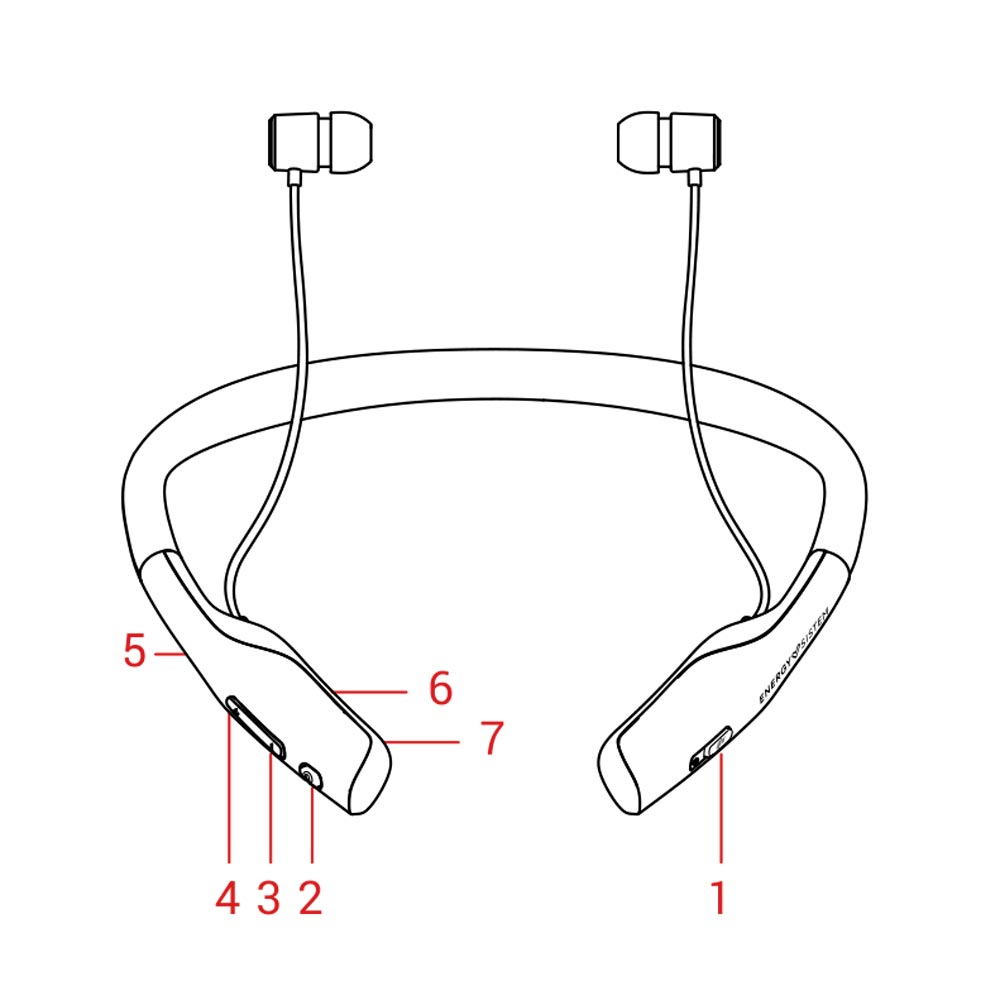
- ASSISTANT BUTTON
- MULTIFUNCTION BUTTON
- VOLUME -/ BACK
- VOLUME +/ NEXT
- CHARGING PORT
- STATUS INDICATOR
- MICROPHONE
Main functions
Switching on and off the device
To turn on your Neckband BT Smart 5 Voice Assistant, press and hold the MULTIFUNCTION BUTTON (2) for 2 seconds. You will hear a confirmation sound and the STATUS INDICATOR (6) will light up blue. The STATUS INDICATOR (6) keeps flashing blue while your Neckband BT Smart 5 Voice Assistant are on. To turn off your Neckband BT Smart 5 Voice Assistant, press and hold the MULTIFUNCTION BUTTON (2) for 3 seconds. You will hear a sound when turning off the earphones.
Charging the battery
When the battery level is below 10%, the STATUS INDICATOR (6) flashes red. You will hear a sound to remind you to charge the battery.
The STATUS INDICATOR (6) glows red while charging the device and turns blue once the charging process has been completed. Plug the microUSB end of the USB cable provided to your earphones' CHARGING PORT (5) and the other USB end to any device with an USB charging port that provides energy (PC, USB wall charger, car charger, etc) to charge the battery. The charging time is approximately 3 hours.
Important: We recommend you fully charge the battery before using the product for the first time.
Important considerations:
- Do not store or leave your device unused or completely discharged for a long period of time.
Bluetooth pairing
Once your Neckband BT Smart 5 Voice Assistant are off, press and hold the MULTIFUNCTION BUTTON (2) for approximately 4 seconds, until the STATUS INDICATOR (6) starts flashing red and blue. At this point, your earphones and your Bluetooth device can be paired. Once "Neckband Smart 5" appears on your devide screen, press "connect". You will hear a sound to confirm that both devices have been paired correctly.
If you previously paired your Neckband BT Smart 5 Voice Assistant with a device, they will connect automatically next time you turn them on. In case you want to pair them with another device, repeat the pairing process.
Wireless playback control
Once your Neckband BT Smart 5 Voice Assistant are syncronized, you will be able to control basic playback functions such as turning up and down the volume and switching to the next or previous song directly from your earphones.
Press the VOLUME + (4) and VOLUME - (3) buttons to turn the volume up and down respectively. You will hear a sound when reaching the maximum and minimum volume levels.
Press and hold NEXT (4) to switch to the next song. You can also press and hold BACK (3) to switch to the previous song.
Press the MULTIFUNCTION BUTTON (2) once to pause or resume playback.
Call control
Once your Neckband BT Smart 5 Voice Assistant and smartphone are synchronized, you will be able to answer calls thanks to the built-in MICROPHONE (7) while wearing your earphones.
Press the MULTIFUNCTION BUTTON (2) to answer an incoming call. If you are listening to music when you receive a call, playback will pause and you will hear an incoming call sound. Press and hold the very same button for 2 seconds to reject an incoming call.
Press the MULTIFUNCTION BUTTON (2) again to end a call. Playback will resume from the point when the music stopped.
Voice Assistant
Your Neckband BT Smart 5 Voice Assistant feature an ASSISTANT BUTTON (1) that allows you to directly activate your smartphone's assistant.
This function activates your smartphone's digital assistant and lets you use voice commands to perform tasks naturally and easily.
Please take a look at the images below to see a list of all available tasks:
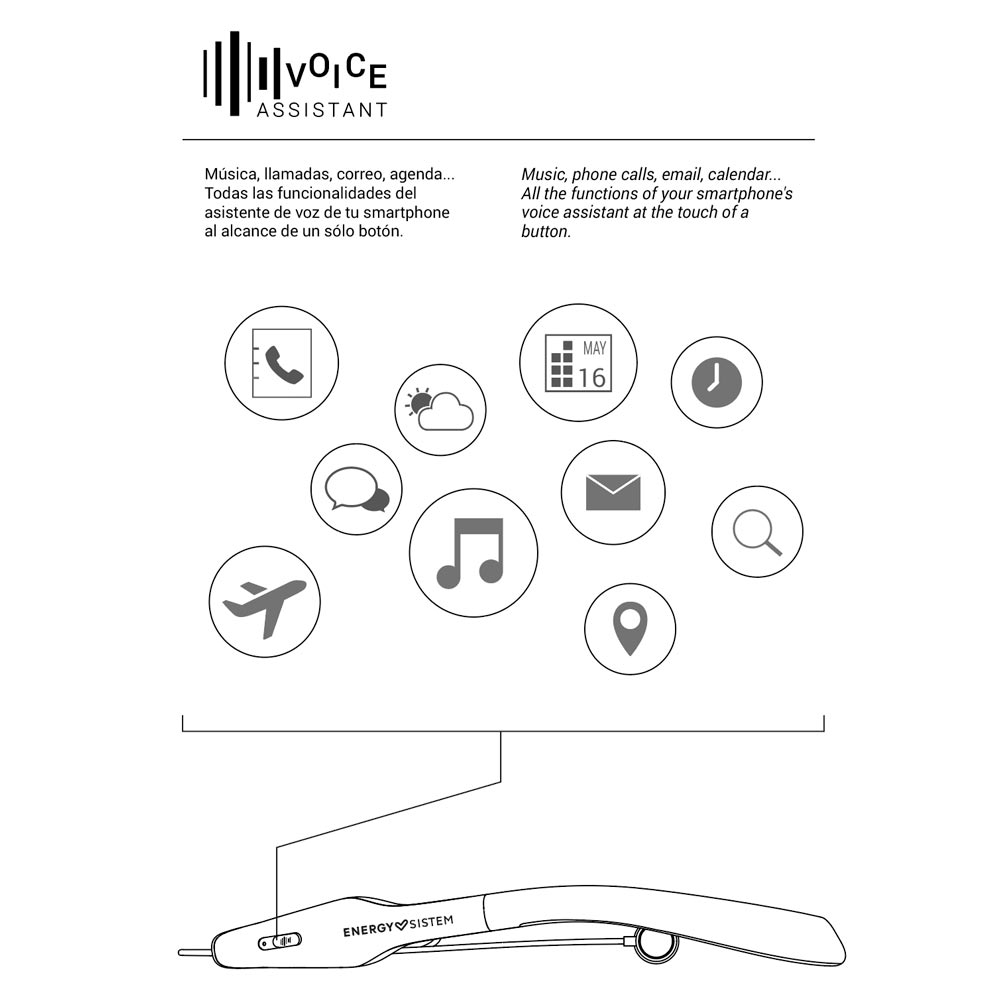
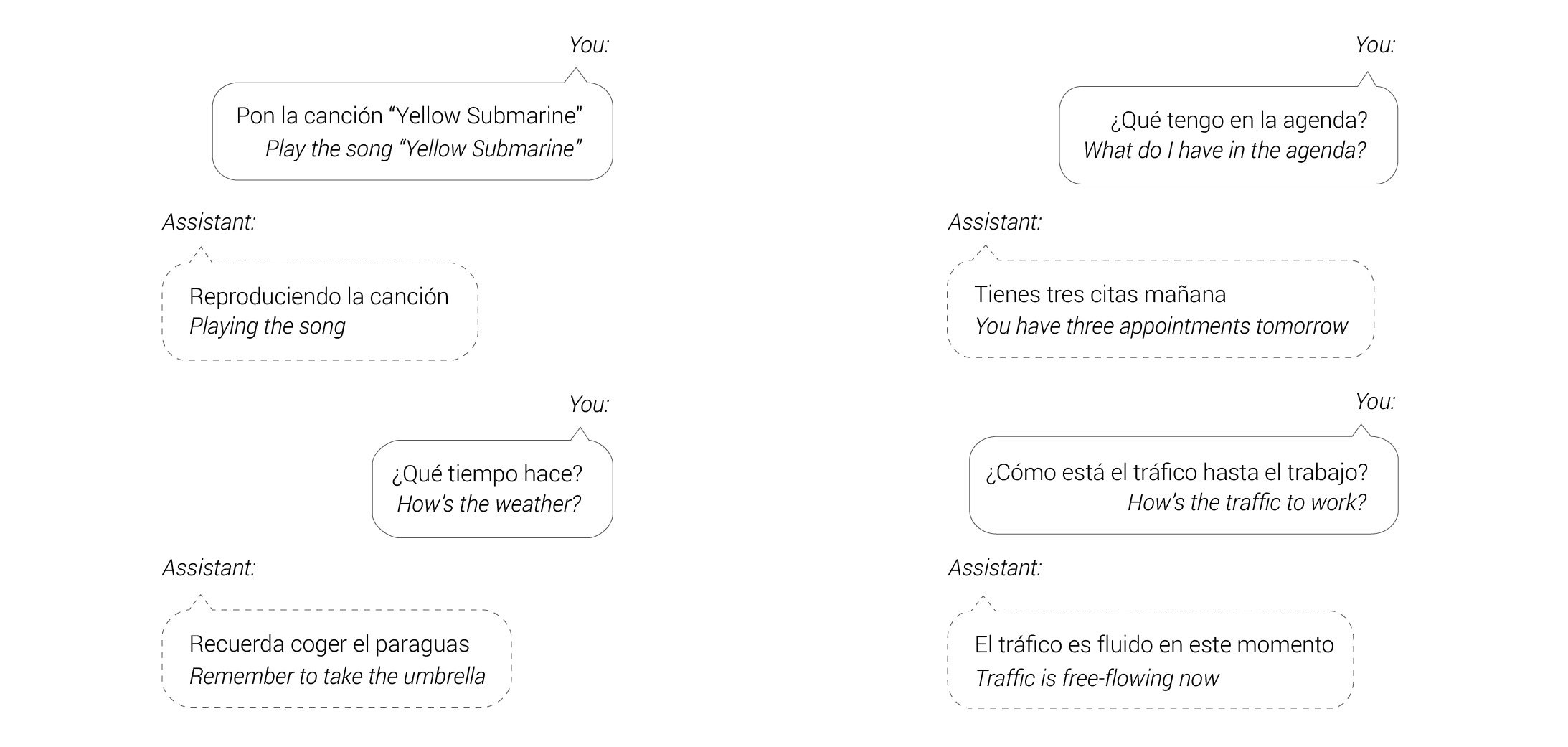
Please take into account that the ASSISTANT BUTTON (1) activates your smartphone's voice assistant and depends on it to perform actions. You can also take a look at Google Assistant and Siri user guides, available on their manufacturers' websites.
Magnetic function
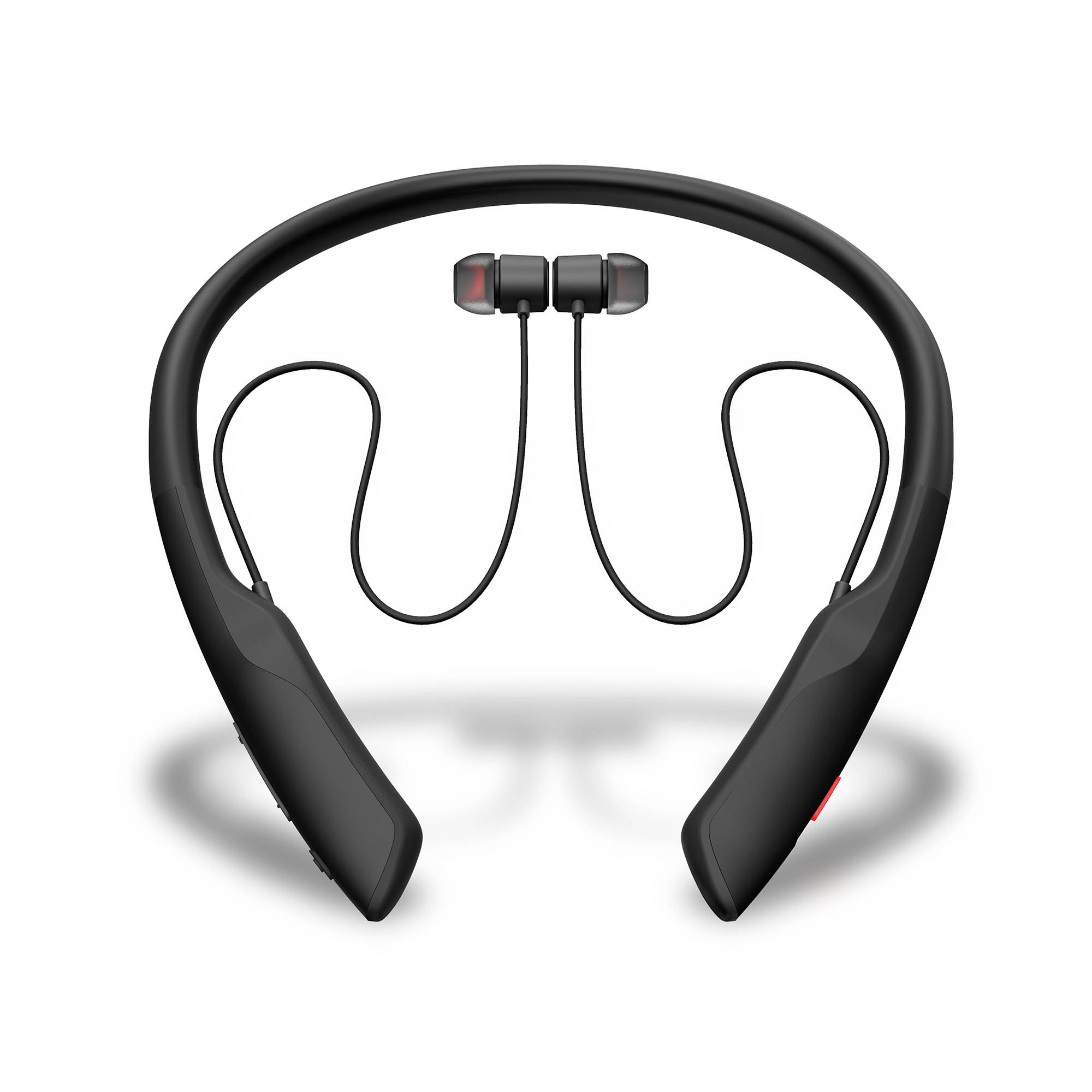
The earbuds of your Neckband BT Smart 5 Voice Assistant have magnets on the back that allow you to keep them together when not using them. This way you can always have them with you and listen to your music any time.
Warranty
You can check the warranty terms here:
https://www.energysistem.com/terms-warranty
Declaration of conformity
Issuer?s name: Energy Sistem Technology, S.A.
Address: C/ Calpe, 1 - 03509 Finestrat, Alicante (Spain)
Tel: +34 966 830 324
CIF: A53107488
We declare under our own exclusive responsibility that the product:
- Description: Wireless earphones
- Brand: Energy Sistem
- Model: Neckband BT Smart 5 Voice Assistant
- Manufacturer: Energy Sistem Technology, S.A.
- Manufacturing country: China
referred to in this declaration is in compliance with the essential norms and standards
EN 50663:2017
EN 62479:2010
EN 62368-1:2014+A11:2017
EN 301 489-17 V3.2.2 (2019-12)
EN 301 489-1 V2.2.3 (2019-11)
EN 300 328 V2.2.2 (2019-07)
in conformity with the provisions of the Directive 2014/53/EU of the European Parliament and of the Council of 16th April 2014.
Finestrat, 1st December 2020

Miguel Ángel Aragüez García
Innovation and Technology Director
